

Asset Type
This is a Claude Skill. Claude Skills are primarily markdown files, so while the instructions below will focus on implementing the asset in Claude as a Skill, the skill markdown files should be usable with other LLMs by simply attaching the file(s) to a chat so that the skill directions are in the LLM's context window.
Purpose
The Learning Plan Skill takes personalization input and a learning objective and generates a sequence of reading, watching, and doing to achieve the learning objective.
Overview
This Claude Skill generates a personalized learning plan for an arbitrary topic:
- selectively extracts relevant and mostly free learning content from across the web
- chooses content based on your learning style (doing, reading, watching, etc.)
- sequences content rationally for dependencies and prerequisite knowledge
- excludes content covering what you already know
- tells you to skip portions of each learning content item that don't support your specific learning objective
This solution takes the following basic steps:
- Work with Claude to set a learning objective
- Work with Claude to personalize the plan based on the user's constraints, topic-specific preferences, and current knowledge
- Ask Claude to generate a learning plan to meet the learning objective per the specification in the Skill
The Learning Bootstrapping Problem
Let's consider the alternative approach to learning a topic you're interested in. If you were to put together your own learning plan manually, there is a chicken-and-egg problem, where you do not know enough about the overall topic and its subtopics to understand prerequisites and dependencies between subtopics. This bootstrapping problem leads most learners to seek out a single primary source from an expert, such as a comprehensive book or tutorial. When designing the asset, the expert thought through the progression of topics. Thus, a single comprehensive source is often the backbone of a learning plan (a college course uses a textbook, learning programming in a new language often uses a main tutorial from the language's governance organization, etc.), and then the learner supplements on top of that backbone.
How Claude Solves This
The learning plan Claude develops uses no single comprehensive source as its foundation. The learning plan consists of many resources from different places all over the web. Claude finds, organizes, and sequences the best learning content it's aware of, personalized to you based on your existing knowledge and learning style, and sequenced according to its understanding of prerequisites and dependencies.
Claude selectively extracts relevant learning content from comprehensive sources. Claude may include an online course, but Claude's learning plan might say to do only units 3, 6, and 8 (for example) because these support the learning objective, while the other units either don't support the learning objective or are better covered by other sources.
Claude synthesizes expertise from multiple sources by constructing the dependency graph from its training data and web searches, solving the chicken-and-egg problem that forces most learners to rely on a single author's sequencing.
Demo
Here's an example interaction using the learning-plan-creator skill. (Note that some content in Claude’s responses, such as "Meta-information on my approach" sections, is added by my personalization settings.)
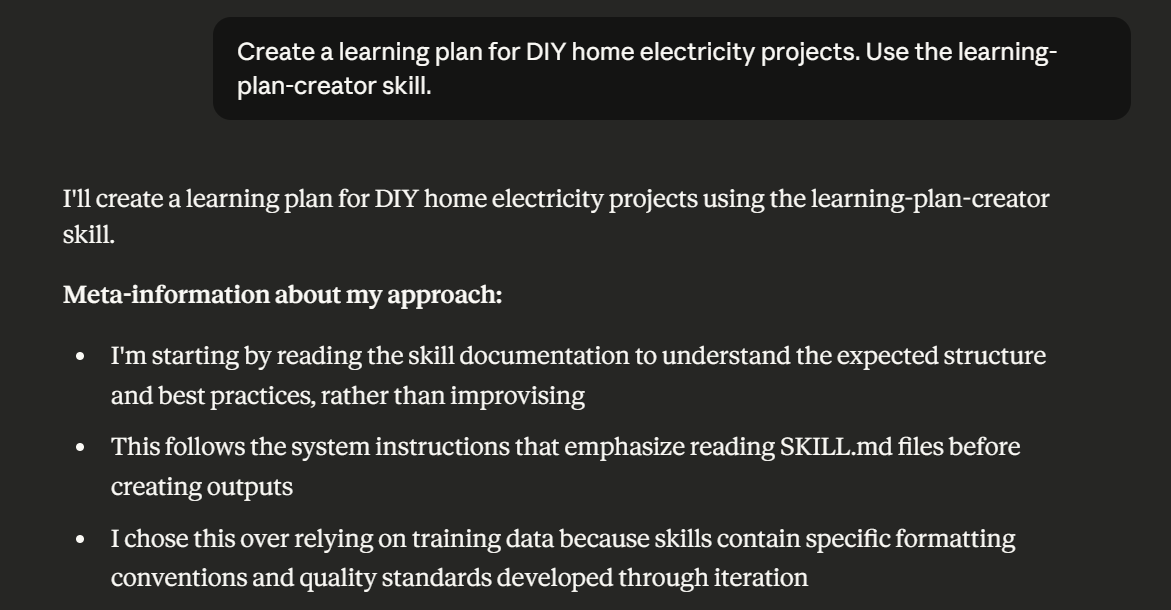
Claude will read the custom skill, including your learner preferences, and understand it must ask you a series of questions to get additional input. (This differs from the Claude Project approach where you provide this input upfront.)
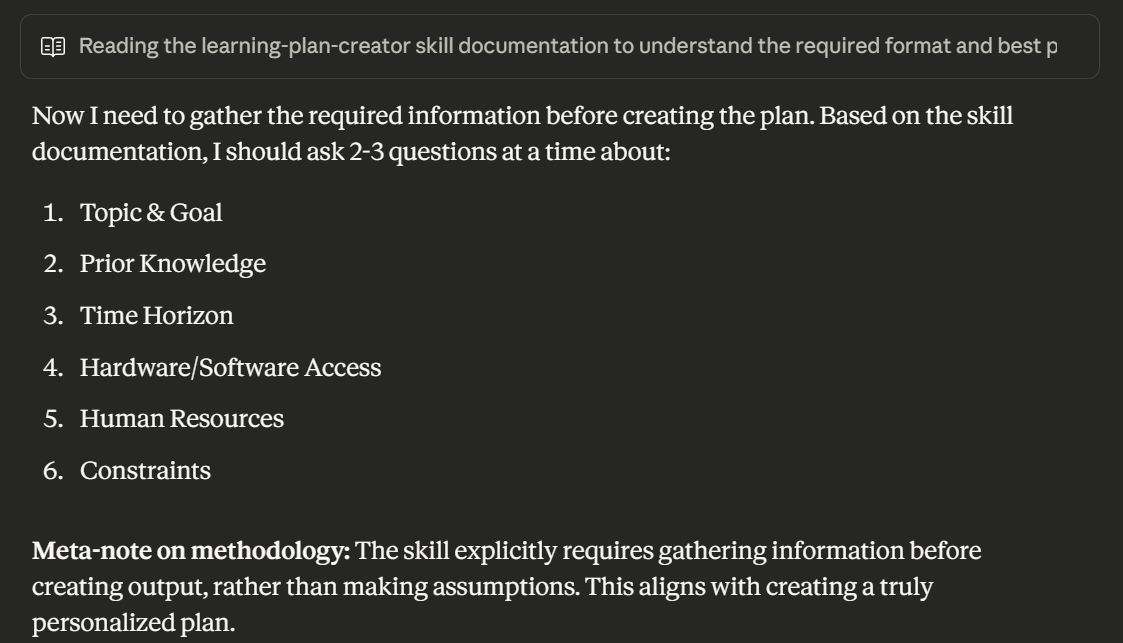
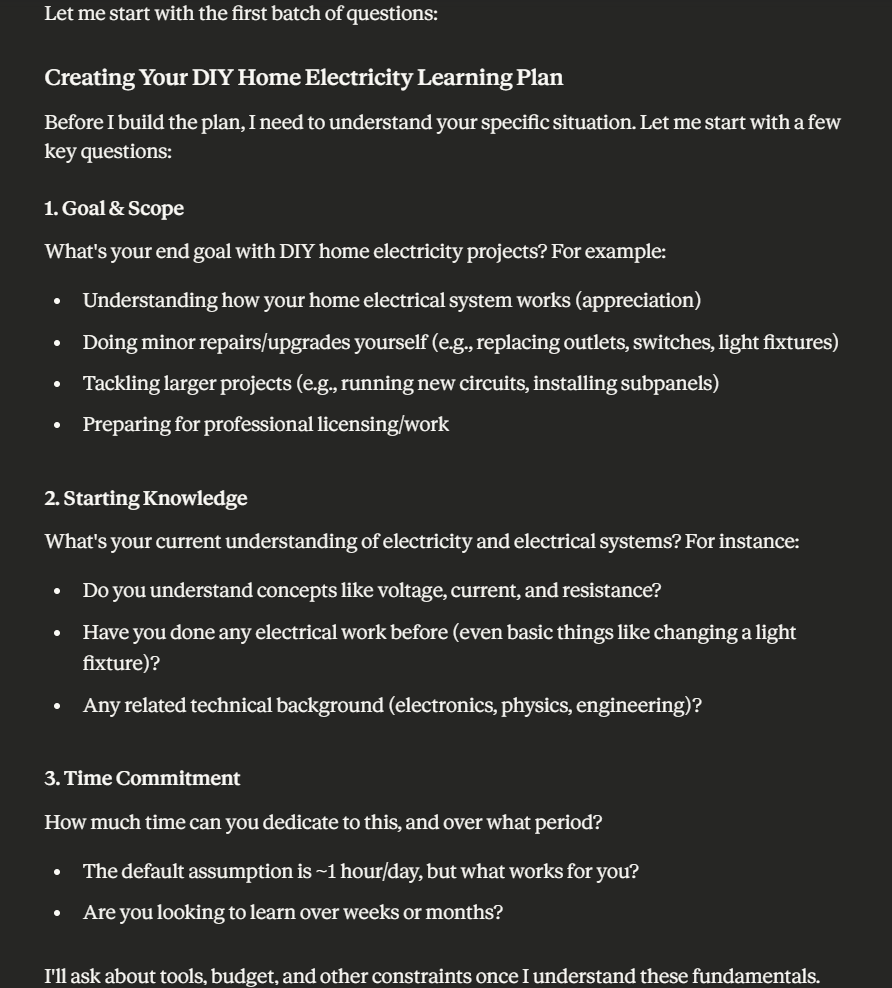
Claude will then begin asking you the first batch of questions. The Skill directs Claude not to overwhelm you with all questions at once.
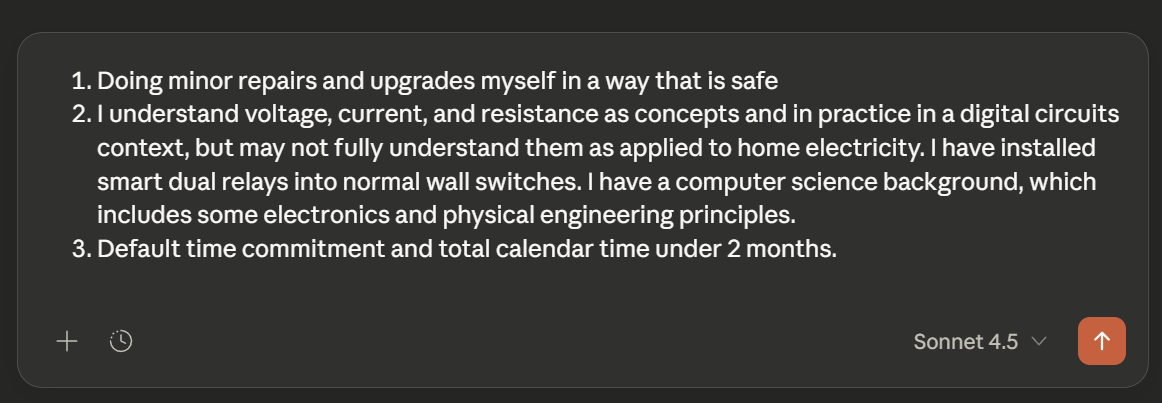
You can answer Claude's questions to personalize the learning plan.
Claude may perform some searches at this point before asking you the remaining questions, including budget.
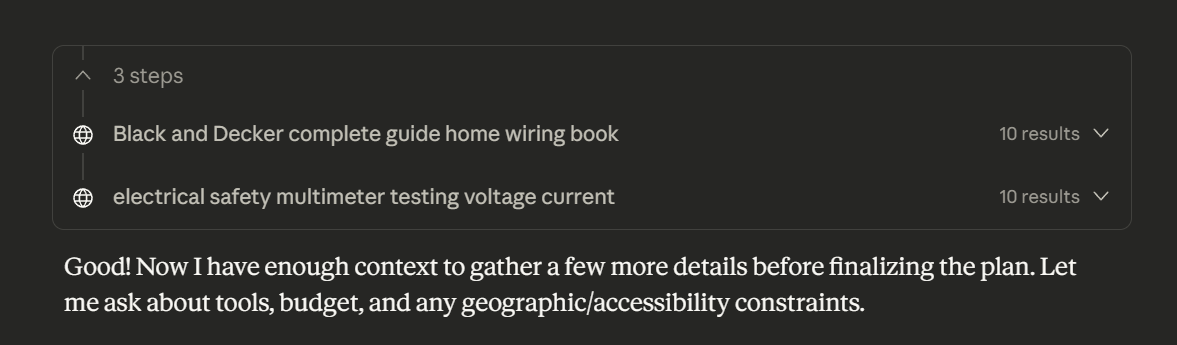
After optionally gathering information from web searchers, Claude will follow up with additional questions.
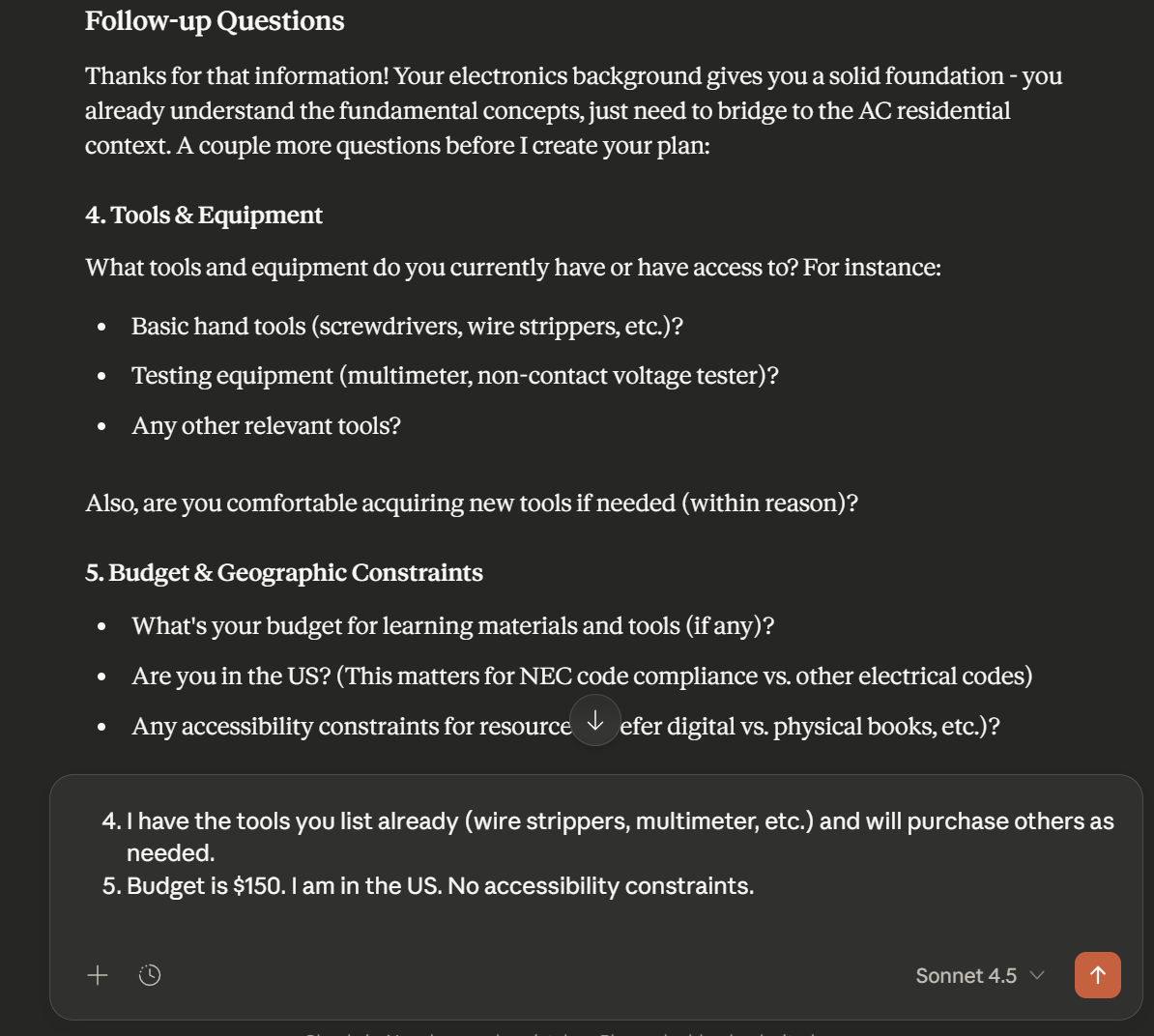
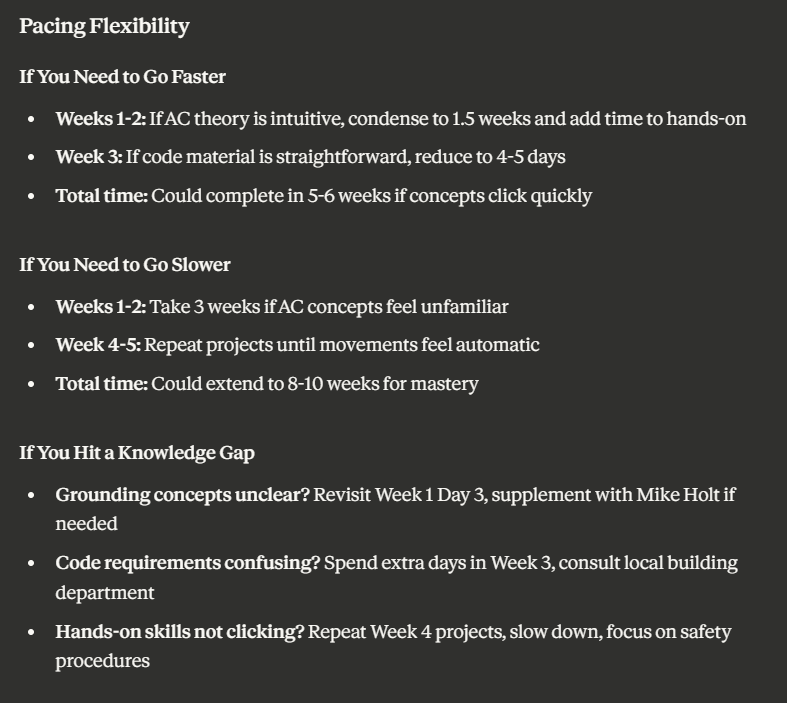
At this point, Claude will build your personalized learning plan.
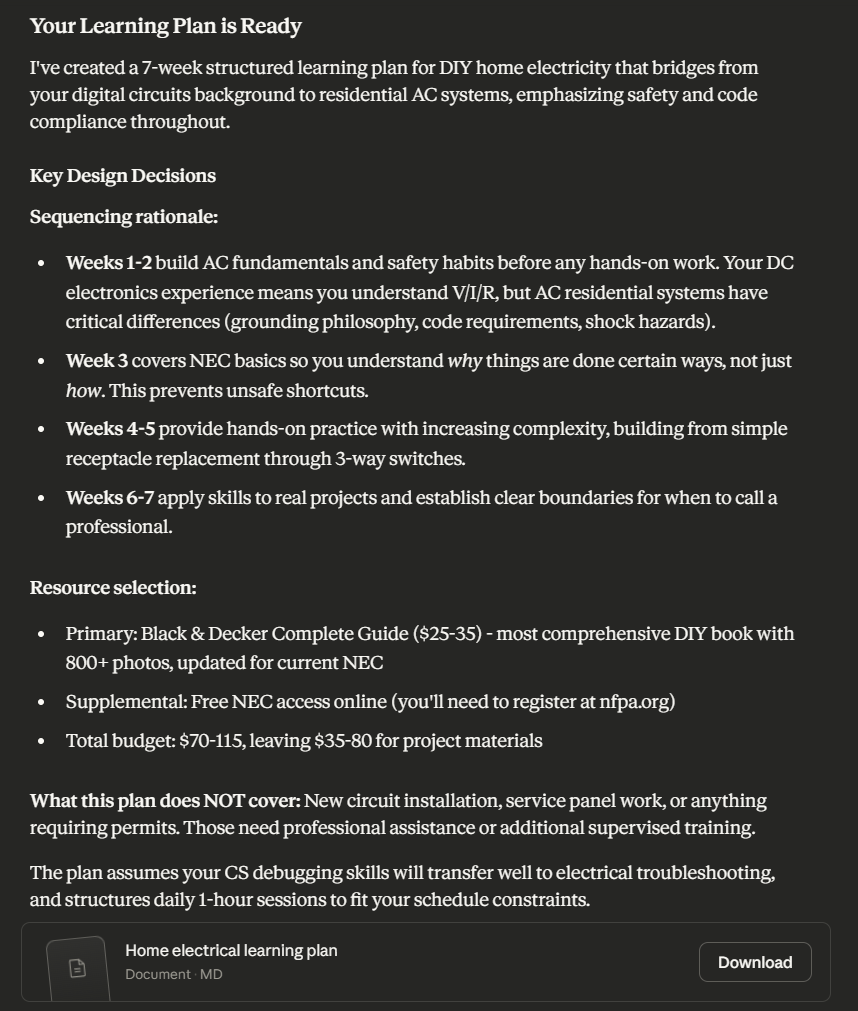
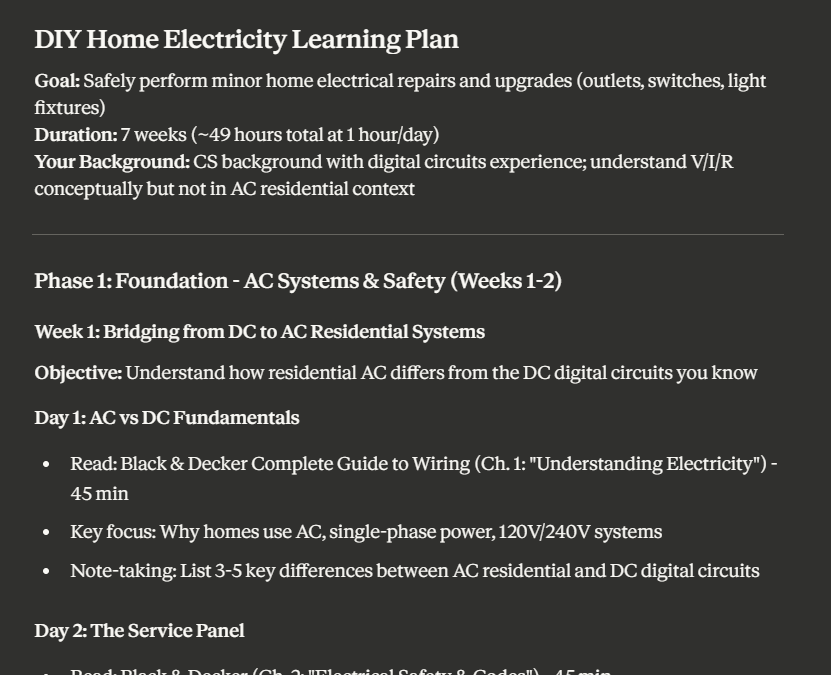
The plan itself will be a Markdown file. You can view it with a Markdown reader application, or you can use an online tool to convert to PDF, if you prefer.
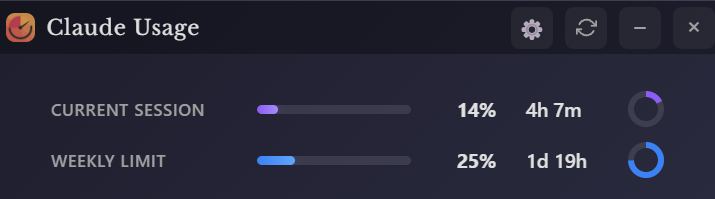
To give you an idea of the token usage for this exercise, I made sure my session was at 0% before beginning this demo. Using Sonnet as the model, this demo used 14% of my session limit.
How to Use This
1. OPTIONAL: Modify learner-specific preferences in the SKILL.md file
The SKILL.md file contains default learner preferences (see markdown below). If those default preferences work for your learning style, continue to Step 2. If you would like to tailor those preferences, follow these instructions.
Download the learning-plan-creator.skill.zip file (this is a .skill file renamed as .zip for convenience). Extract the zip.
learning-plan-creator.skill.zip
└── learning-plan-creator/
    ├── references/
    │   └── handling-gaps.md
    └── SKILL.md
Modify the SKILL.md file section under the heading “User Profile (Stable Preferences)” to match how you learn.
## User Profile (Stable Preferences)

These preferences apply to all learning plans for this user:

### Learning Style - Strong Preferences

1. **"Designed for ~1 hour per day"** - Prefer smaller daily learning routine rather than long learning blocks on weekends

2. **"Prescriptive, canonical paths"** - One well-documented learning path per learning concept. I find choice and options within learning content to be distract from my learning objective.

3. **"High signal-to-noise ratio, theory-first"** - I learn well from reading documentation and extracting concepts. I don't need hands-on work for everything. Respect my time by being efficient and focused.

4. **"Content scoped to my learning goal"** - Identify the subset of each learning resource that is in the critical path of my learning objective. Tell me when I can skip portions of learning content. This includes hands-on exercises; if a resource includes labs or projects, tell me whether I need to do them or skip them.

4. **"Concise explanations without excessive caveats"** - Learning content must focus on explaining the core concept clearly. One-sentence acknowledgment of exceptions/variations is sufficient. Don't clutter content with defensive explanations about edge cases that aren't relevant to understanding fundamentals.

### Learning Style - Conditional Preference

5. **"If hands-on work is included, it must be well-integrated:"**
   - Clear, prescriptive setup (specific hardware/software with links to obtain/purchase, clear installation steps)
   - Clear value proposition (why this exercise teaches the concept better than reading)
   - Comprehensive mapping (exercises should apply all recently-taught concepts, not a sparse subset)
   - Verification mechanisms (automated tests, expected outputs, or other immediate feedback)
   - If these criteria aren't met, I prefer pure documentation/theory resources instead

### Learning Style - Nice to have

6. **"Visual/animated content when available"** - I prefer video format but not required when other factors are strong.

7. **"Dense reference materials are okay for reference"** - Datasheets, manuals, etc. are acceptable as reference, not primary learning. Dense materials are good for helping me translate concepts I have learned to my specific learning objective (for example, if I learn MIPS assembly through excellent interactive content, but then need to read a datasheet to translate those concepts to dsPIC assembly)
This section also includes a negative example to show Claude what not to suggest. If you have an example of an article or course or video that is not a fit for your learning style, replace this section with that so Claude knows what to avoid. If you don't have a negative example, just delete this section.
---

### Negative Example (What NOT to recommend)

**Mike Silva's "Introduction to Microcontrollers" series** exemplifies several anti-patterns for my learning style:

- **Low signal-to-noise ratio**: Spent 6-10 hours to extract ~1 hour of useful concepts. Too much content written defensively for expert critics rather than to teach beginners efficiently.

- **Multi-paradigm without clear purpose**: Showed every code example in both AVR and ARM assembly, plus C. The ARM examples duplicated AVR insights without adding value. The C examples were off-topic for my goal (learning to read dsPIC assembly).

- **Poorly integrated hands-on work**: Labs were probably unnecessary for this topic and had unclear hardware requirements (no specific product recommendations or links to purchase, unclear if 2013 hardware still available), no setup instructions, unclear value proposition (why blink an LED in C to learn microcontroller concepts?), and sparse concept mapping (taught concepts 1-5, lab only used 2 and 4, leaving "dead knowledge").

- **Choice paralysis**: Offered multiple architecture options (AVR vs ARM vs simulator), conditional equipment advice ("you might want an oscilloscope but don't need it... but if you do get one you'll learn more"), and left decisions to the learner without enough context to evaluate them.

**In contrast:** Nand2tetris Part 1 was an excellent fit—prescriptive toolchain, automated tests for every project, comprehensive concept-to-practice mapping, tight scope (one invented architecture), high efficiency, and hands-on work that had clear value (building understanding through progressive construction).
Re-compress the zip with the same folder structure as the original, which should be this structure:
learning-plan-creator.skill.zip
└── learning-plan-creator/
    ├── references/
    │   └── handling-gaps.md
    └── SKILL.md
2. Install the Skill
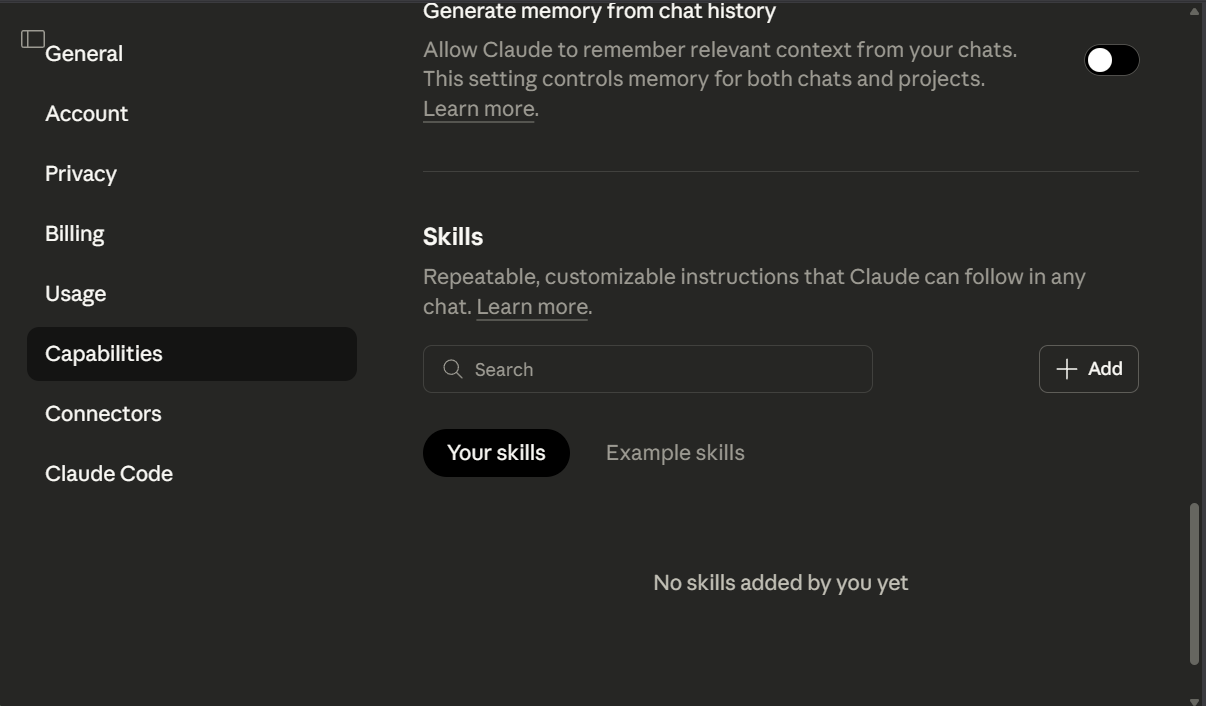
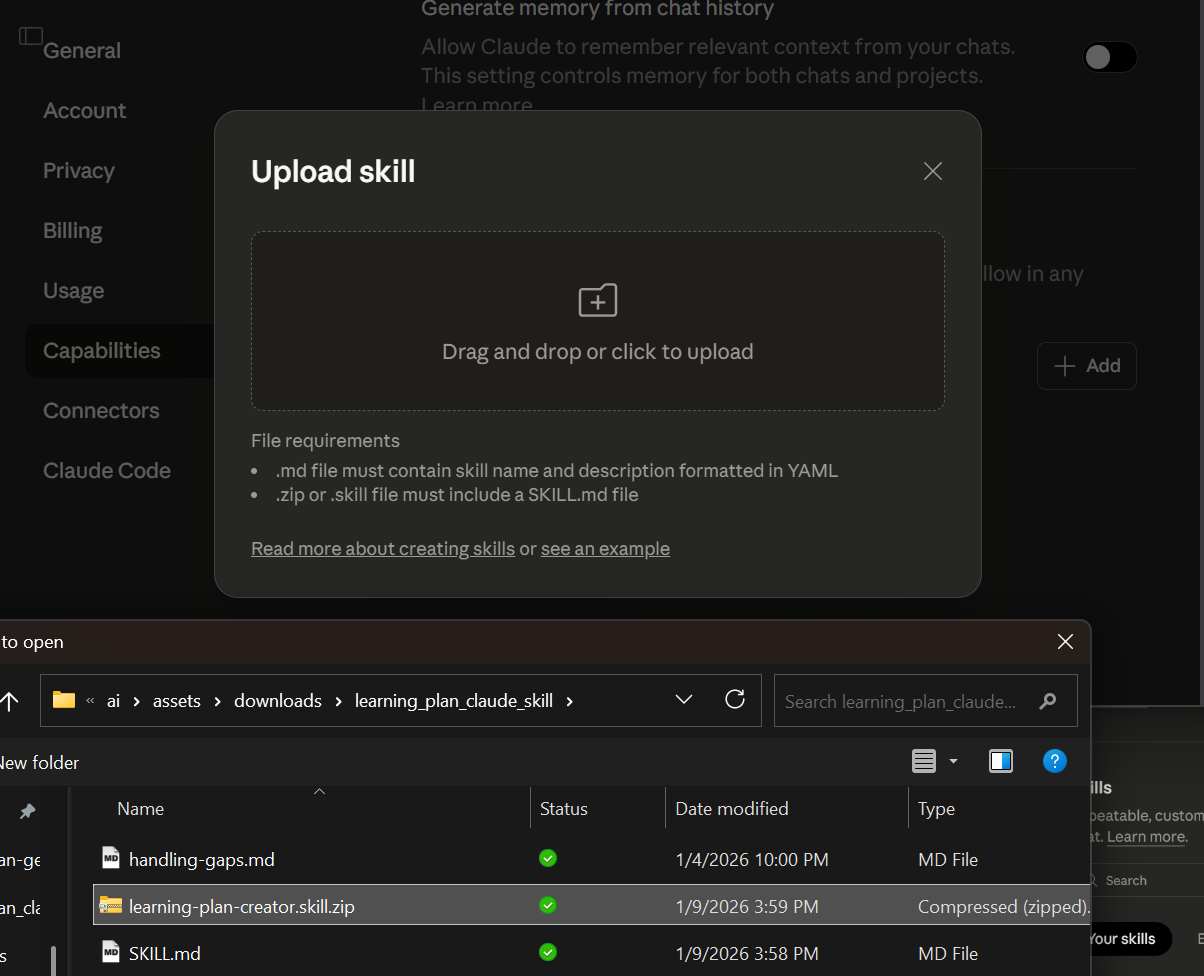
Install the skill by navigating to your settings in Claude, then click Capabilities, then '+ Add' in the 'Skills' section.
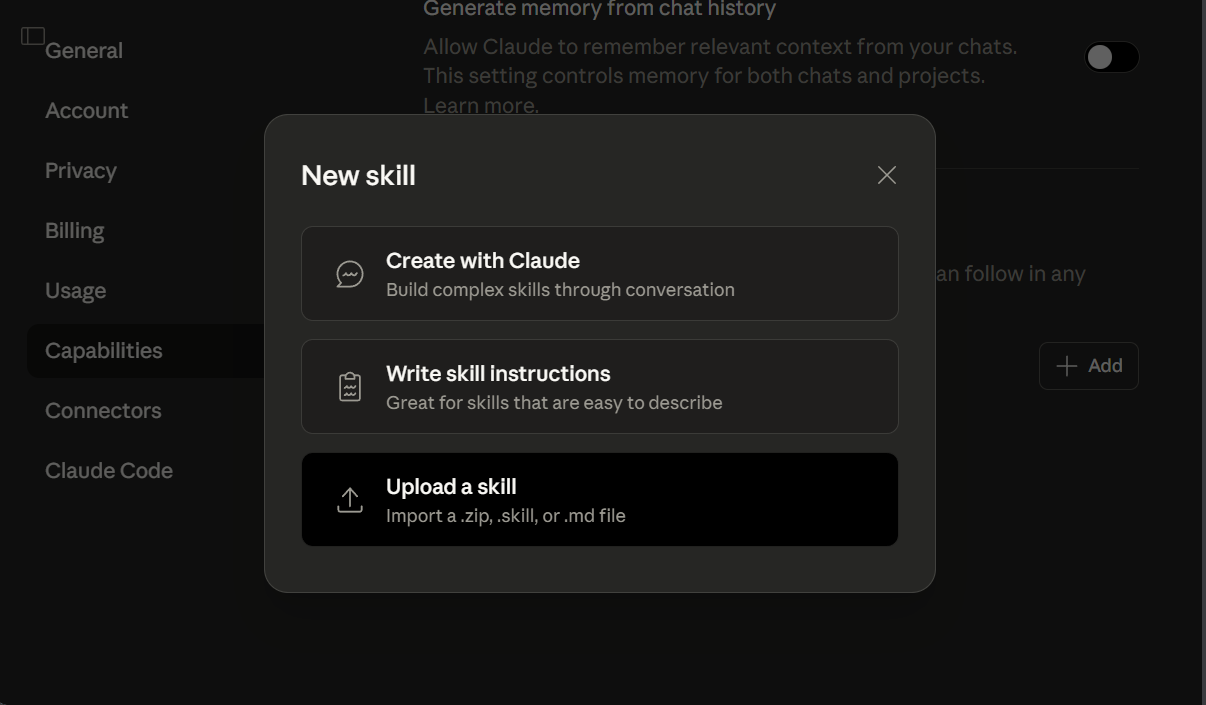
Click 'Upload a skill' and choose the learning-plan-creator.skill.zip file that contains your modified SKILL.md. Make sure to select the learnig-plan-creator.skill.zip file that contains your modified SKILL.md file (do not upload only the SKILL.md file or you will miss the handling-gaps.md that will be helpful if you hit challenges during your learning plan).
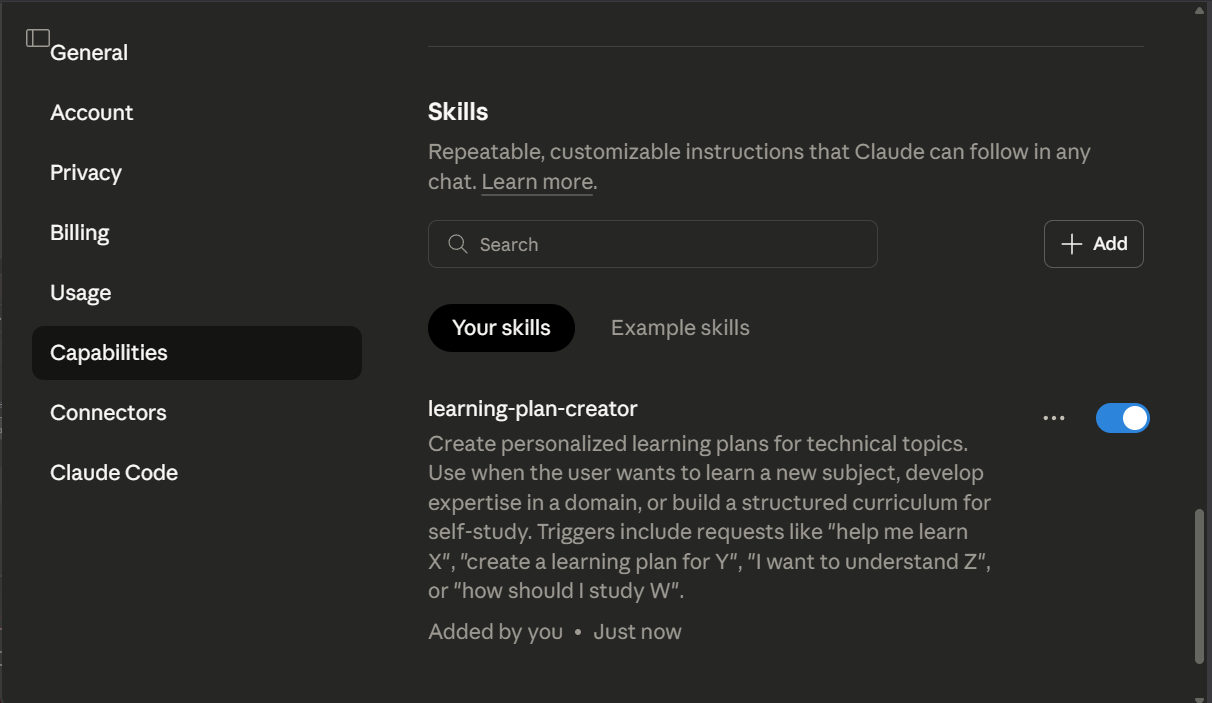
That's it. Installation complete.
3. Run
You're ready to go. Open a chat and ask Claude to generate your personalized learning plan with the following prompt:
Create a learning plan for SUBJECT. Use the learning-plan-creator skill.
Claude Skill vs. Claude Project
This packages the Learning Plan Generator Claude Project as a Claude Skill. In contrast to the Claude Project formulation, the Skill formulation sets inputs that would be stable across learning topics (for a given person) in the skill definition file, while inputs that will vary (for a given person) across learning topics, like how much one already knows about the topic, will be requested interactively in a chat by Claude. This enables Claude to guide users through the context collection process that the user would otherwise need to do as pre-work. (Note that this user experience choice is more expensive from a token perspective.)
In contrast to the Claude Project version, this formulation of the Learning Plan Generator does not explicitly elaborate the overall learning objective into a set of subtopics and learning items. Instead, Claude does this "internally" during the build process. This removes a QA checkpoint and a customization opportunity.
With limited testing, it's not clear whether this results in better, worse, or the same quality in learning plan output. If you want to review and potentially customize the subtopics and learning items supporting the learning objective before Claude constructs a learning plan, use the Claude Project version rather than this version.